A May 24, 2026 tutorial shows how to combine Playwright MCP with Claude Desktop so an LLM can execute browser workflows directly — navigating pages, interacting with UI elements and surfacing debugging artifacts — rather than only returning instructions.
A May 24, 2026 tutorial demonstrates how builders can pair Playwright MCP with Claude Desktop to let a language model perform browser workflows directly, not merely issue instructions. By wiring Claude Desktop to a local Playwright MCP server, the model can navigate pages, interact with UI controls, extract data and return debugging outputs — enabling the assistant to complete web tasks end-to-end rather than handing off steps to a human.
Playwright MCP is an MCP server built on Playwright (Microsoft’s browser automation framework) that supports Chromium, Firefox, WebKit and Microsoft Edge. Instead of relying on screenshots, Playwright MCP delivers structured accessibility snapshots: page elements, roles, labels and stable references drawn from the accessibility tree. Those structured views let the model decide what to click, type into, check or confirm with greater precision than pixel — based approaches.
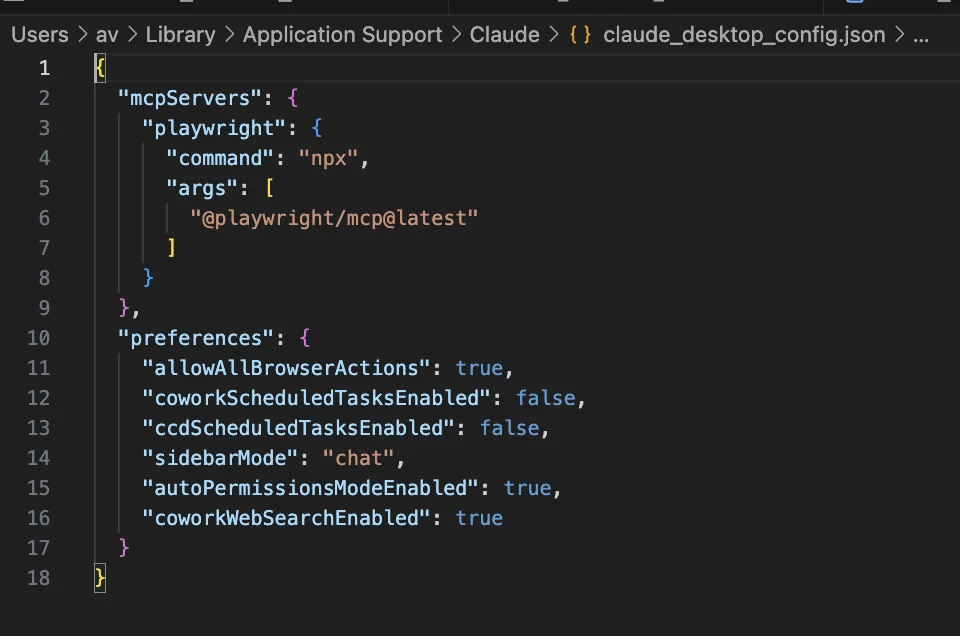
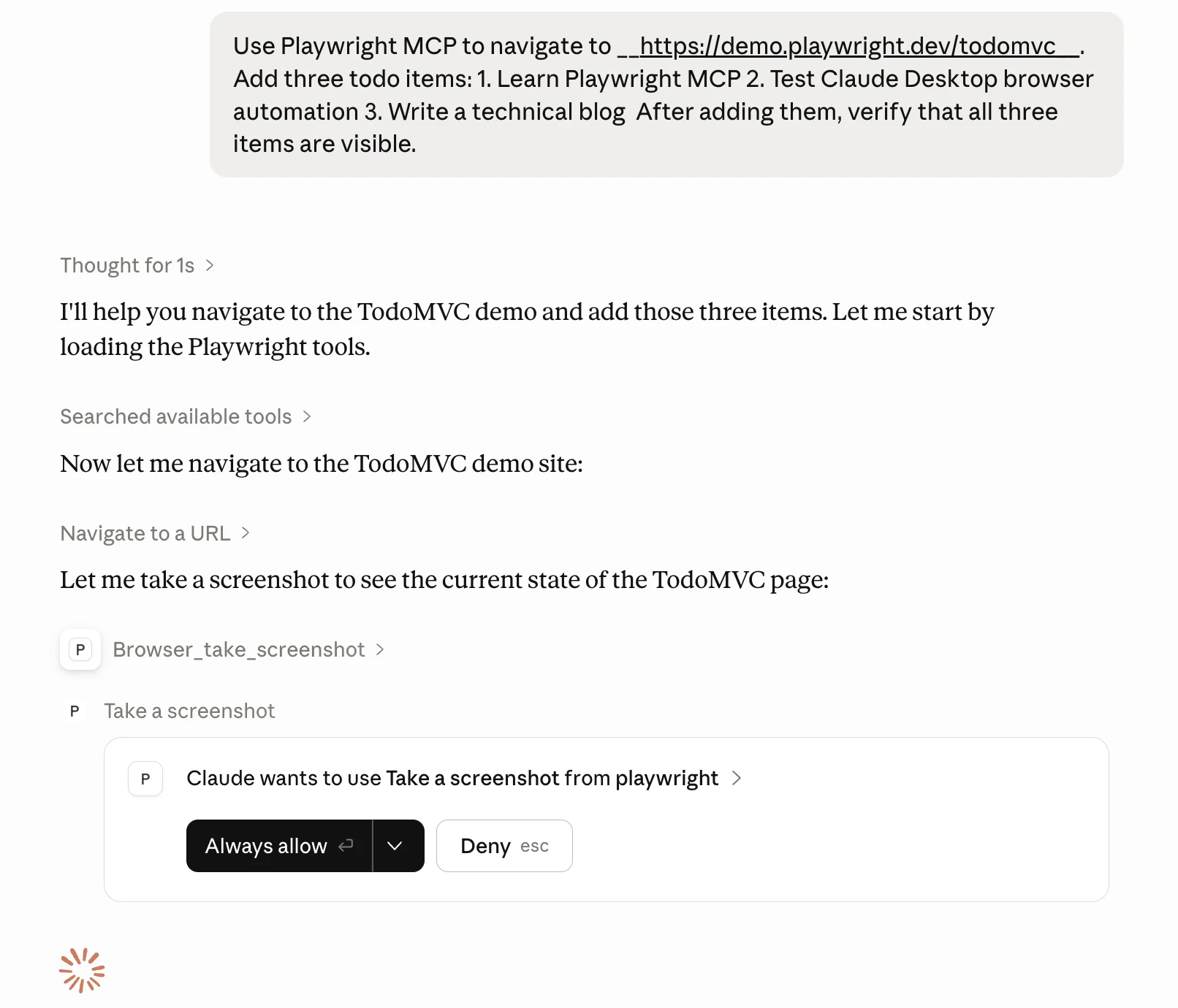
The tutorial walks through installation, architecture and developer workflows and includes a hands — on test of the capabilities. It shows how Playwright MCP surfaces debugging artifacts — visible text, console logs and network activity — back to the model, and how those artifacts can be used to inspect failures, trace UI behavior and improve automated interactions during development.
The piece contrasts this setup with Anthropic’s Claude Cowork, describing Cowork as a broader agentic desktop product that accepts goals and operates on local files, folders and apps to produce finished outputs. By comparison, Claude Desktop plus Playwright MCP focuses on browser automation, offers high developer control, is inexpensive to deploy and can be used with a free Claude account; however, native local file access requires adding a filesystem MCP server, whereas Cowork provides product — level workspace and scheduled — task features out of the box.
For practitioners the practical significance is immediate: structured accessibility snapshots make web automation more reliable and expressive than screenshot — based methods, enabling use cases such as QA testing, data extraction, UI debugging, product research and agent prototyping without implementing a full agent loop. The tutorial highlights concrete capabilities — navigate, click, type, scroll, extract, and inspect console/network — that support those scenarios.
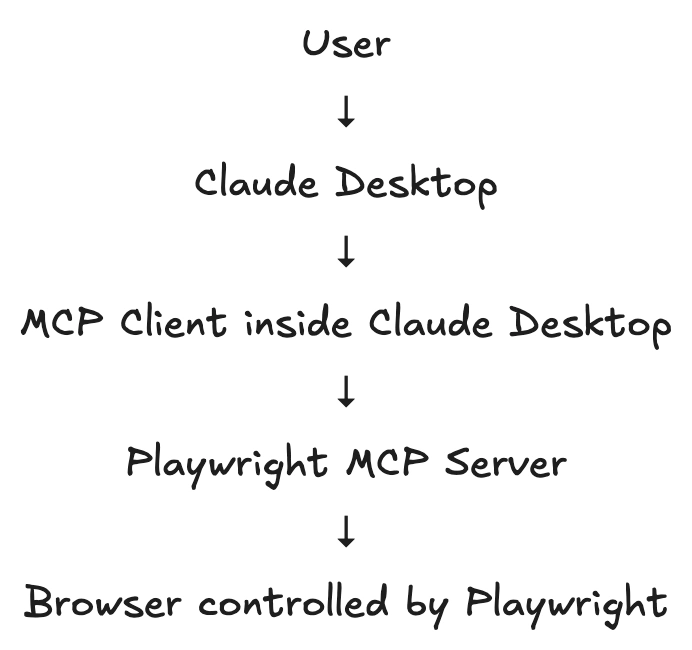
The architecture relies on the Model Context Protocol to connect Claude Desktop to local MCP servers; the guide identifies four main components that together enable actions like file access, search and browser control. Playwright MCP’s accessibility — tree orientation, combined with exposed debugging outputs and a low-cost installation path, positions it as an approachable option for prototyping browser — capable AI workflows that require direct interaction with web UIs.
Sources
Replies (0)
No replies in this topic yet.
