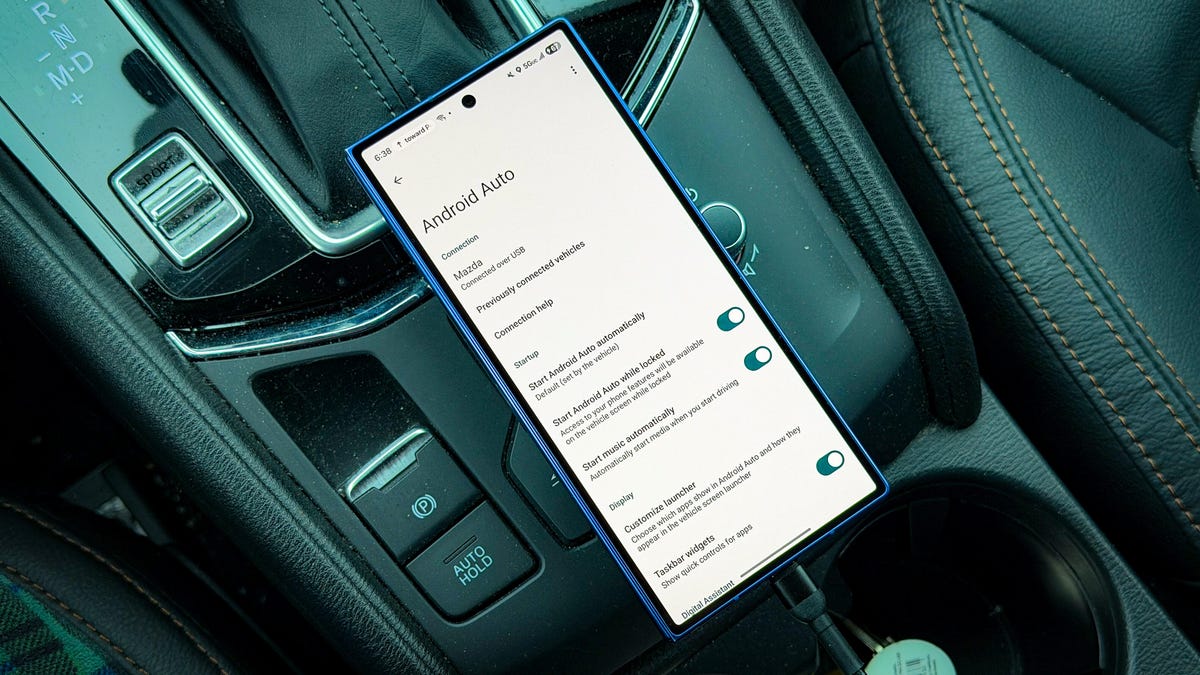
A hands‑on test by Artie Beaty, reported May 15, 2026, shows four straightforward adjustments can significantly reduce lag in Android Auto and make in‑car Gemini responses faster. The changes target the phone — head unit link and the phone’s runtime state; improving those elements produced quicker app launches, snappier touch input and smoother map scrolling, all of which matter for safety and usability while driving.
The four concrete tweaks are: connect Android Auto with a USB cable instead of using wireless to remove latency and compression; use a high‑speed data cable (many systems still use USB 2.0 while newer vehicles support USB 3.0, so prefer a USB 3.0 or otherwise data‑capable cable); close excess phone apps to free CPU and RAM; and turn off battery optimization for Android Auto via Settings > Apps > Android Auto >App battery usage and enable "Allow background usage."
Beaty observed that switching from wireless to a connection improved almost every interaction in the Android Auto UI. App launch times fell, touch input felt more responsive, and map scrolling ran more smoothly. He also noted that Gemini — the in‑car assistant — replied faster when the phone was, highlighting how sensitive AI features are to link latency and device resources. Wireless Android Auto remains convenient, but the test underscores its costs: wireless connections demand more from the phone and battery, which can introduce lag and shorten runtime. connections reduce compression and network overhead, offloading work from the phone and the head unit and producing a more consistent experience.
For developers and QA teams, these results outline clear test vectors: measure latency and compression effects over versus wireless links; validate behavior on USB 2.0 and USB 3.0 hardware; and simulate phones with restricted background activity or battery‑saving throttles. App code should handle OS‑level power optimizations and surface clear guidance when permissions or battery rules degrade performance.
Drivers and integrators can apply the fixes immediately: replace cheap charging‑only cables with certified data‑capable, high‑speed cables; close competing navigation or media apps before connecting; and explicitly allow background usage for Android Auto and commonly used apps such as Google Maps, Spotify and YouTube Music. Beaty reports the difference between a random junk‑drawer cable and a proper data cable was obvious in real‑world use.
The broader takeaway is that reliable in‑car experiences depend as much on the phone — head unit connection and the phone’s runtime state as on the head unit software. Prioritize low‑latency, data‑capable connections, include battery‑saving scenarios in testing, and document recommended user settings so drivers consistently get the expected responsiveness from Android Auto and connected AI features.
Sources
Replies (0)
No replies in this topic yet.
