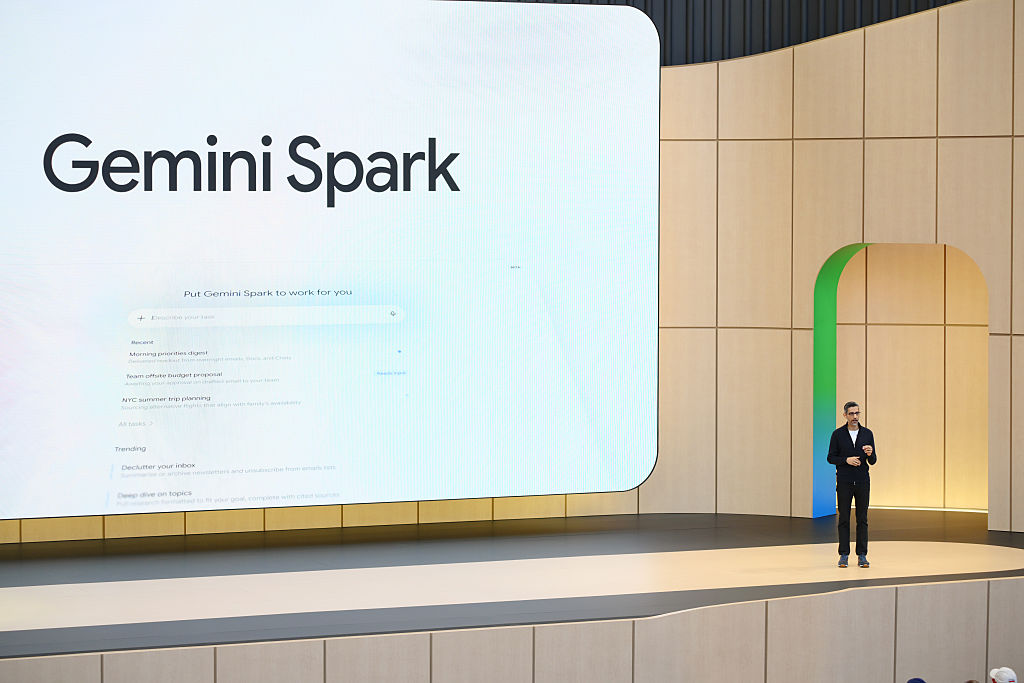
Google introduced Gemini Spark at its annual developer conference in May as a continuously running, agentic assistant designed to handle inbox tasks and simple online errands from the cloud. CEO Sundar Pichai described Spark as an always — available service that operates on virtual machines, allowing users to close their laptops while the agent performs online to-dos, summarizes messages, and manages routine organization tasks. That cloud — first approach is intended to reduce setup friction for mainstream users who do not want to configure local always — on instances.
Technically, Spark runs on cloud virtual machines and is built to connect tightly with Google productivity apps: Gmail, Calendar, Docs, Sheets and Slides. Google highlights practical workflows such as generating a daily recap from your email and calendar that lists the top three must-do tasks, drafting a weekend plan as a Google Doc using open calendar blocks, and automatically assembling simple personal spreadsheets like expense trackers. Those examples emphasize hands — off automation for work-adjacent organization saved inside the Workspace ecosystem.
Early — access, hands — on testing shows both useful capabilities and limits. Spark successfully aggregated shopping recommendations, identified weekly deals, and pointed to coupons to clip in the Walgreens app while recommending coupon — stacking strategies for online pickup orders. In one instance a promo code the assistant suggested proved invalid in practice; Spark recovered by locating alternate buy-one-get-one and rewards — based offers. The tests demonstrate Spark’s ability to surface helpful opportunities, but also highlight occasional inaccuracies that require follow — up or correction.
Spark’s cloud runtime contrasts with agentic systems that demand users keep local machines awake. By running on cloud VMs, Google positions Spark as lower — friction for consumers who want continuous assistance without managing their own always — on hardware. However, Google has struggled to articulate must-have consumer scenarios: many of Spark’s suggested workflows assume users track tasks in email or calendar, which narrows appeal for people who organize differently and limits the assistant’s usefulness beyond work-adjacent users.
For builders and integrators, the preview clarifies two practical implications: the runtime model (cloud VMs) and the current API/connectivity surface. Spark’s tight Workspace integrations make it effective for automations inside Gmail, Calendar, Docs, Sheets and Slides, but it cannot write to Google Keep, blocking common personal — productivity flows such as exporting packing lists to a note app. Coupled with early — access quirks like the occasional inaccurate promo suggestion, these behaviors underline the need for validation and human oversight before deploying Spark in production scenarios.
Sources
Replies (0)
No replies in this topic yet.
