Virtual OS Museum offers ready — to-run virtual machine images for over 570 historical operating systems that launch through VirtualBox; two editions (Full-174 GB, Lite-14 GB) trade offline completeness for on‑demand downloads.
Virtual OS Museum delivers a prebuilt collection of virtual machine images that let users run more than 570 legacy and historical operating systems through VirtualBox, lowering the technical barrier to exploring early Unix, workstation GUIs and home microcomputers. The project matters because it packages decades of operating system history into a single, easy-to-launch environment, making research and hands‑on study far simpler for hobbyists, educators and preservationists.
Technically, the system runs inside VirtualBox: users download a ZIP package, unpack it, open the created folder and run an executable. That executable launches a Debian‑based virtual environment that presents an interactive list of available systems for immediate selection and boot. The project is free to use; the only local requirement is an installed copy of VirtualBox. Jack Wallen, writing on May 23, 2026, reported that the image launched quickly and without problems on his local machine.
Two editions are offered. The Full edition is a 174 GB download that contains the entire catalog of images for offline use. The Lite edition is a 14 GB download that keeps a smaller local footprint and fetches chosen images on demand, so it requires an internet connection when pulling systems. Wallen tested the Lite package by downloading it and then launching individual systems, confirming the on‑the‑fly image retrieval worked as advertised.
The catalog spans early resident monitors and research operating systems such as CTSS, early releases of Unix, experimental graphical environments including Xerox Star and Pilot/ViewPoint, and a broad sampling of home computers, workstations and embedded platforms. Listed examples include Amiga, Apple I/II/III, Atari, Commodore 64, NeXT, Palm and Newton, as well as early releases of mainstream Linux distributions like Debian, Red Hat and Slackware.
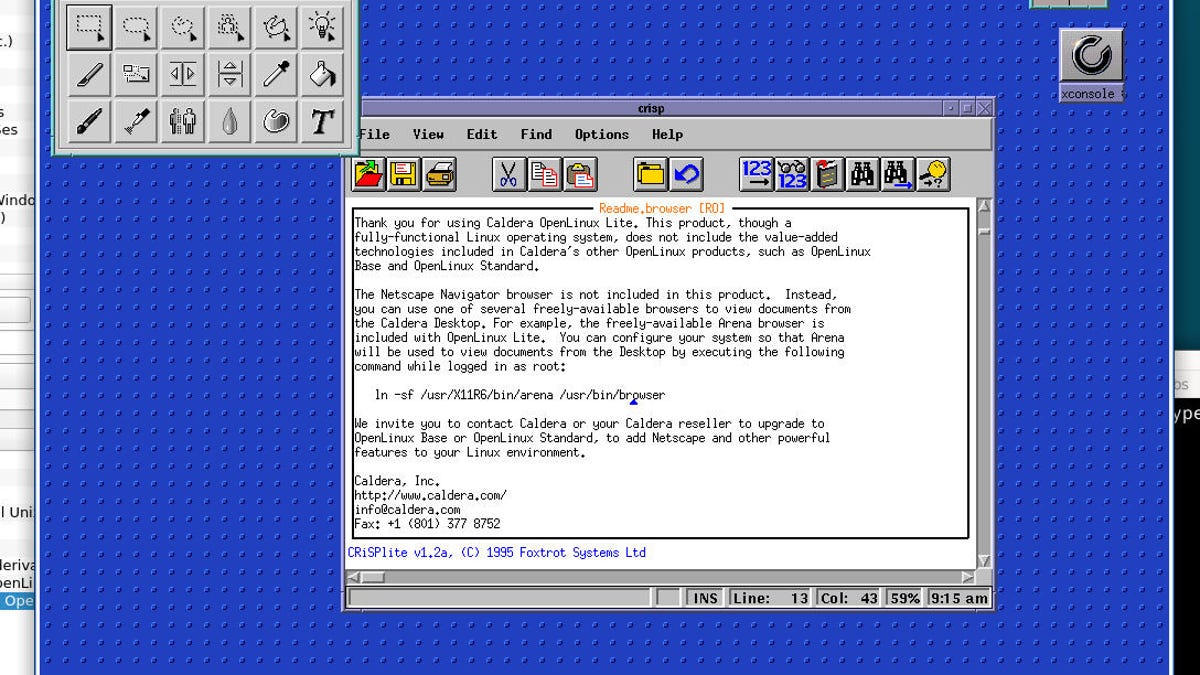
For practical purposes the museum reduces the effort required to study or test old software: users do not need to locate, configure and maintain separate emulators for each platform, and the risk of corrupting fragile images is minimized. The project carries a nostalgia value — Wallen highlights experiences such as booting NeXTSTEP and revisiting an early Caldera OpenLinux trial release — but he and the project authors note these environments are intended for study and preservation rather than everyday production use.
install VirtualBox, download the Full or Lite edition, unpack the ZIP, open the folder and run the executable; use Lite with a network connection to obtain images on demand. This workflow makes the Virtual OS Museum a convenient tool for education, archiving and historical research.
Sources
Replies (0)
No replies in this topic yet.
