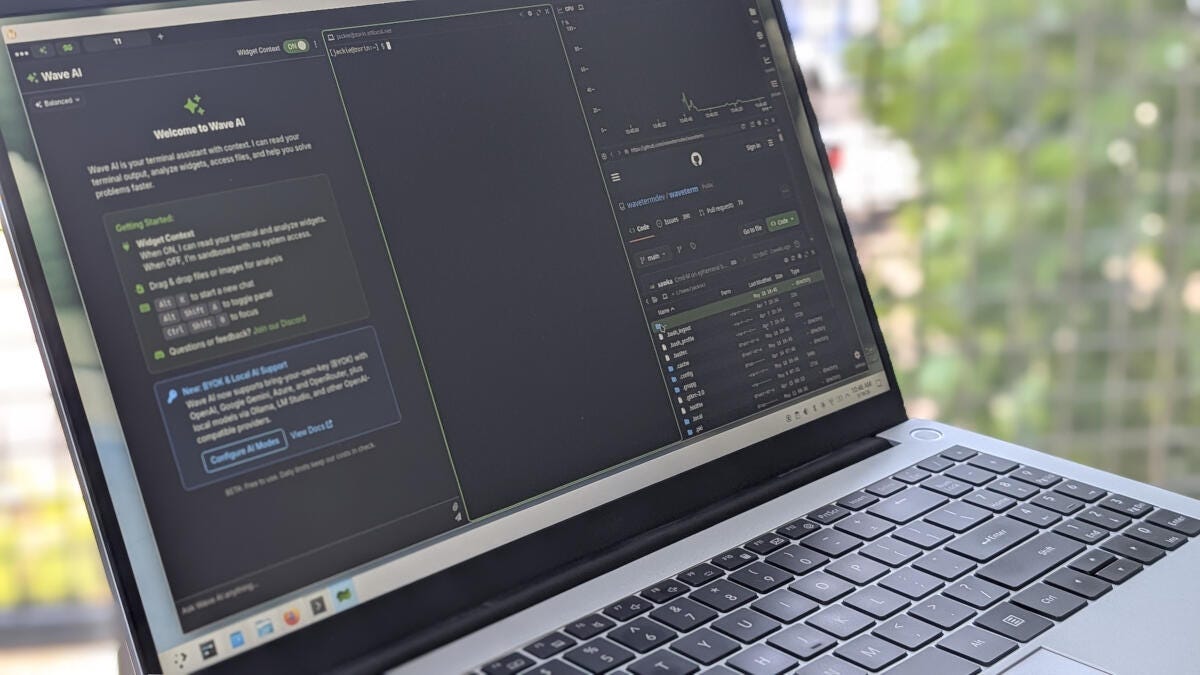
Wave Terminal, now in beta for Linux, macOS and Windows, bundles terminal, file manager, process viewer, web view and an AI assistant into a single open-source app to centralize developer workflows and reduce tool switching.
Wave Terminal is an open-source, AI-native terminal now available in beta for Linux, macOS and Windows that consolidates several developer tools into one app-an approach intended to reduce context switching and centralize workflows. Contributing writer Jack Wallen tested Wave over a weekend and says he quickly adopted it into daily use, leaving the app open while evaluating its capabilities.
The application surfaces a set of built — in tools — Terminal, Files, Web, sysinfo and Processes — and layers on integrations such as GitHub access, remote — machine management and remote file editing. Wave also includes a built — in web browser and an AI assistant, Wave AI, which the project’s site says is designed to “see your entire workspace” and help with command learning and routine tasks.
Installation is platform — specific and offered in multiple formats. On Linux Wave ships as Snap, AppImage,.deb,.rpm,.zip and pacman packages; Wallen gives examples including sudo dpkg -i waveterm*.deb and sudo snap install --classic waveterm. macOS users download a.dmg, while Windows users receive an.exe or.msi and run the standard installer wizard.
The interface centers on a right — hand sidebar of clickable icons to enable or disable individual tools and a top-left control for workspaces and the Wave AI toggle. Workspaces let users run multiple custom layouts simultaneously so they do not need to reconfigure the UI constantly; each workspace must keep at least one non — AI tool open because Wave AI does not count as a standalone tool.
Wave follows a growing trend toward so-called “terminals on steroids” that blend GUI conveniences with CLI power. Wallen notes prior coverage of rivals such as Warp, but says Wave’s particular combination of integrated features, open-source codebase and cross — platform availability made it his go-to during hands — on testing, positioning it as an accessible choice for developers wary of vendor lock-in.
For builders and operators the practical implications are straightforward: centralized visibility into system resources and processes, inline GitHub and file workflows, remote — machine control and an AI-assisted surface for learning unfamiliar commands. Because Wave is in beta, users should expect iterative changes and possible instability, but early hands — on use suggests it can replace several separate tools for many day-to-day development and operations tasks.
Sources
Replies (0)
No replies in this topic yet.
